Link in-game chats to Discord
Empower players to continue their conversations beyond the game. Now you can link an in-game chat to a text-channel on Discord.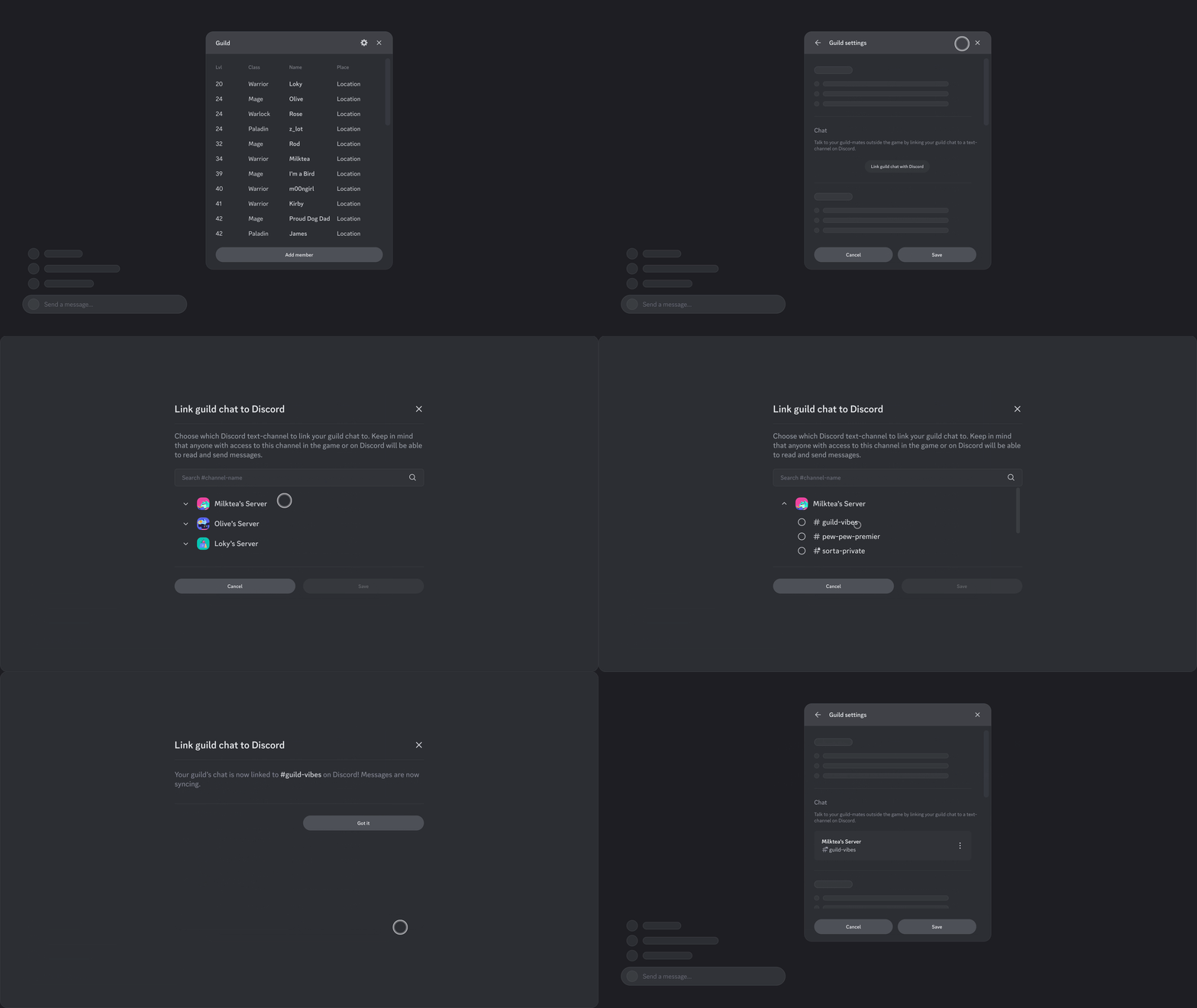
Style guidelines
Feature Name & Language
The official feature-name that will be reflected across the Discord client is “Linked Channels.” Please use the following language when referring to this feature to promote player comprehension across clients.- “Linked to {Discord/GameTitle}”
- “Link a {groupChat} to Discord”
- “Edit/Remove Channel Link”
Entrypoints
Please use the string guidance from above: “Link {groupChat} to Discord.” For interface, use whichever UI treatment that fits your game’s needs.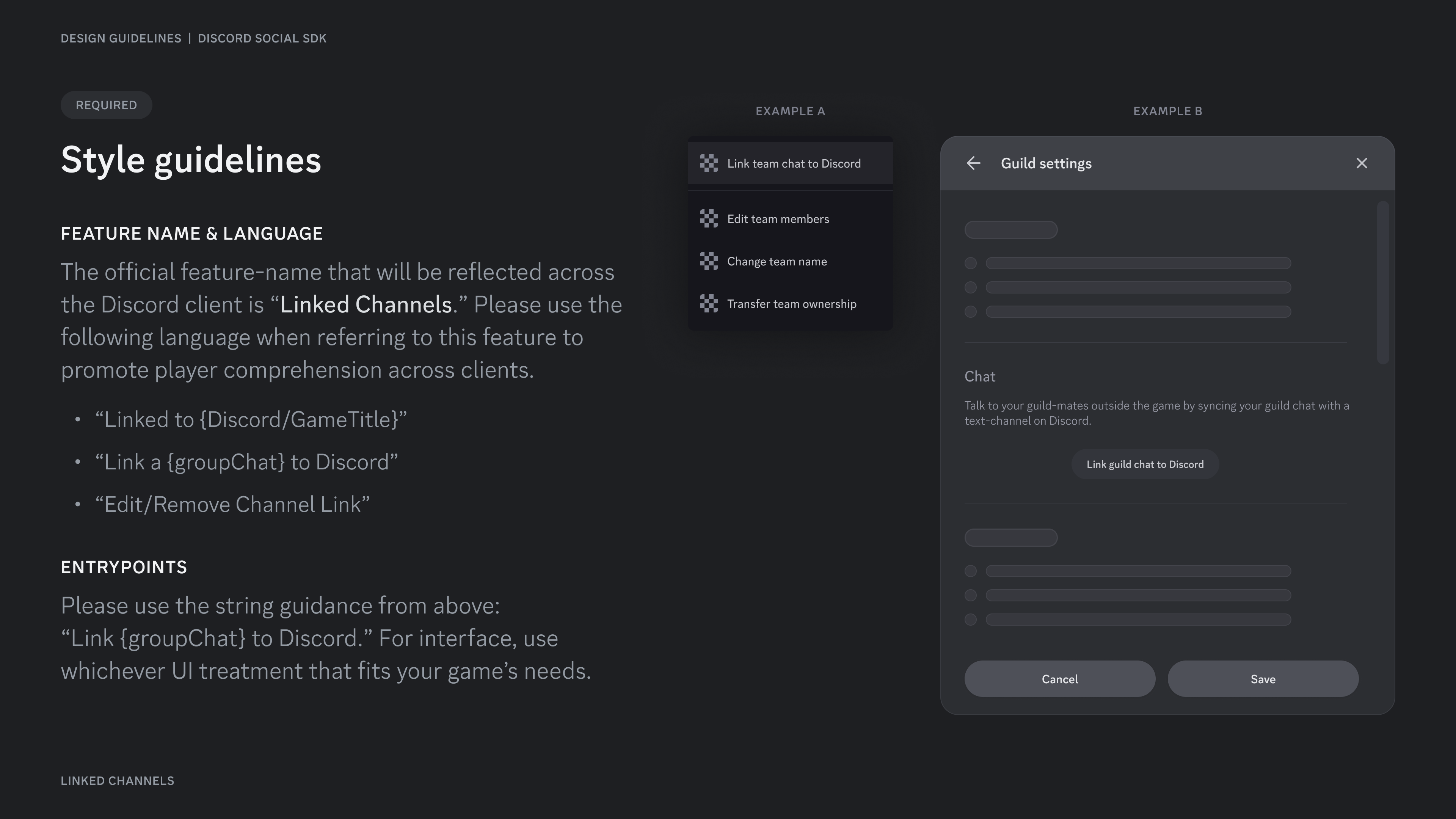
Selecting a channel
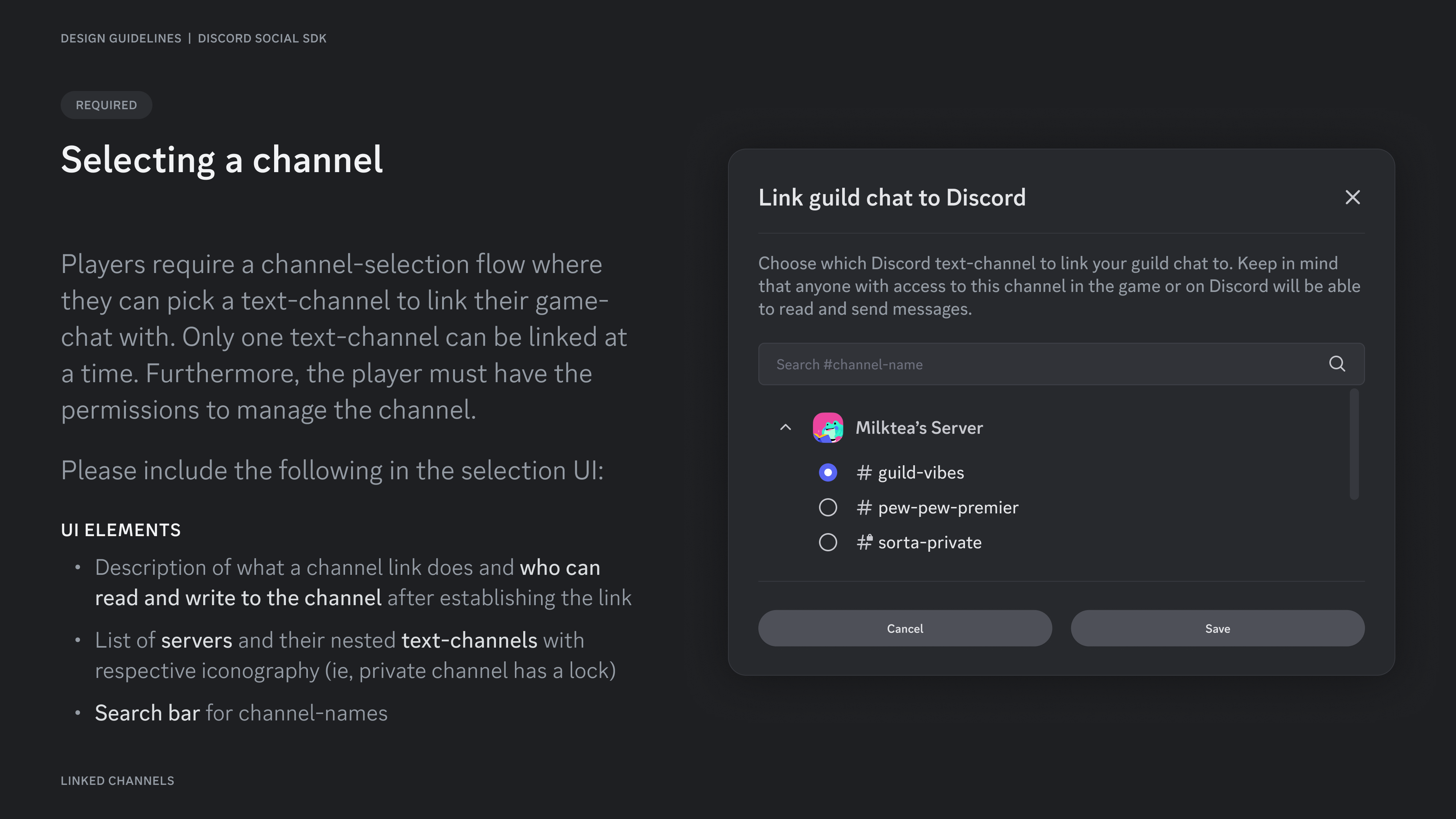
Players require a channel-selection flow where they can pick a text-channel to link their game-chat with. Only one text-channel can be linked at a time. Furthermore, the player must have the permissions to manage the channel. Please include the following in the selection UI:UI Elements
- Description of what a channel link does and who can read and write to the channel after establishing the link
- List of servers and their nested text-channels with respective iconography (ie, private channel has a lock)
- Search bar for channel-names
Setup warning
Players can link channels with limited access on Discord. Doing so will allow players from their game-chat to also read and send messages to this channel, regardless of whether or not they have permissions on Discord. In short, linking a game-channel will bypass that channel’s existing permissions on Discord. Show a warning when a user is about to link to a channel with limited access. We strongly recommend you use the copy shown to the right image.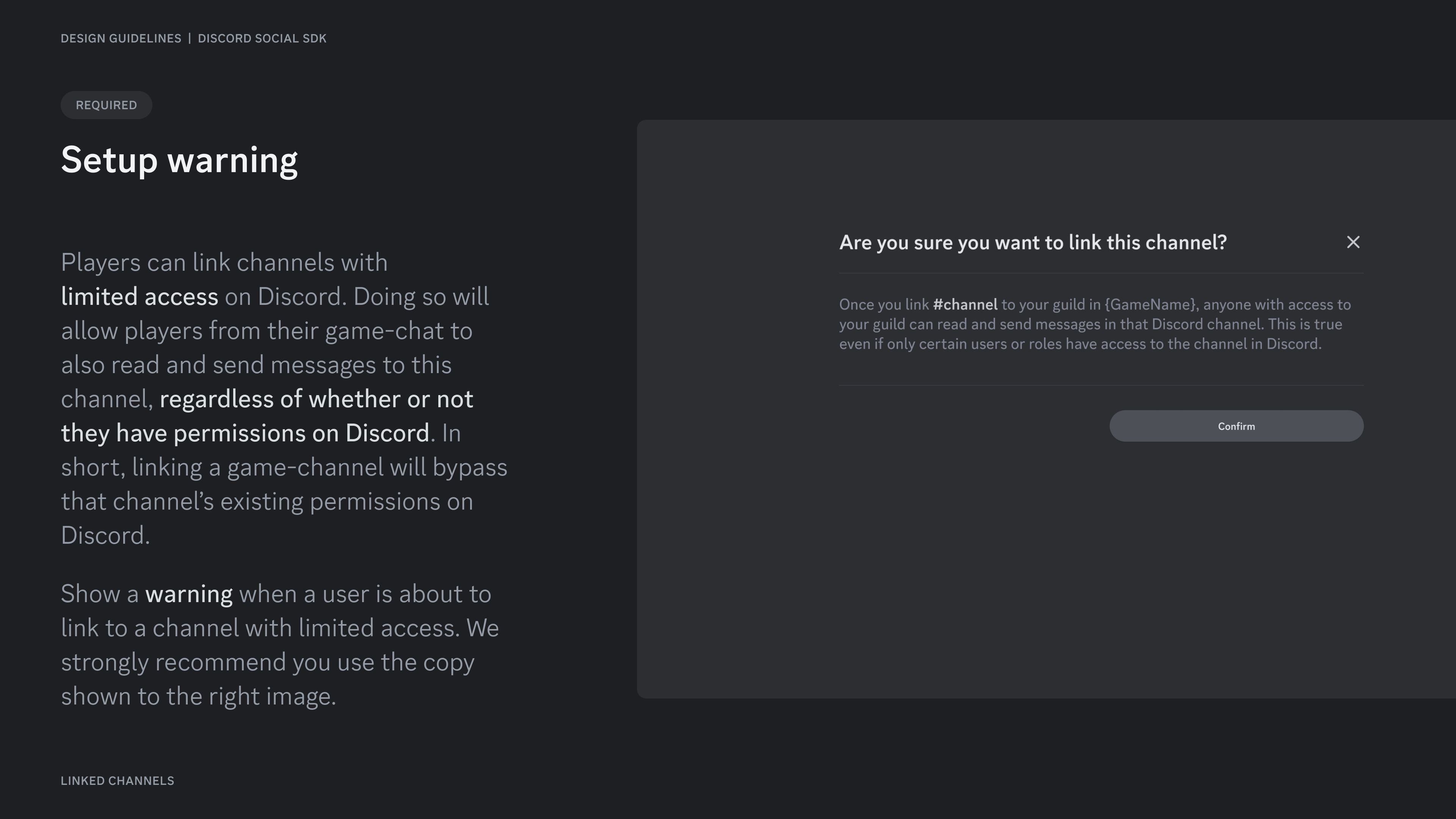
Success state & Entrypoint
Once the channel link is established, show a success state to the user detailing which text-channel they’ve linked to on Discord. Separately, create a persistent entrypoint somewhere in the game UI. This persistent entrypoint should also show details such as the Discord server and channel name. It will also serve as the entrypoint for managing the linked channel (next slide). You can download the official “Linked Channels” channel-icon in our GitHub repository.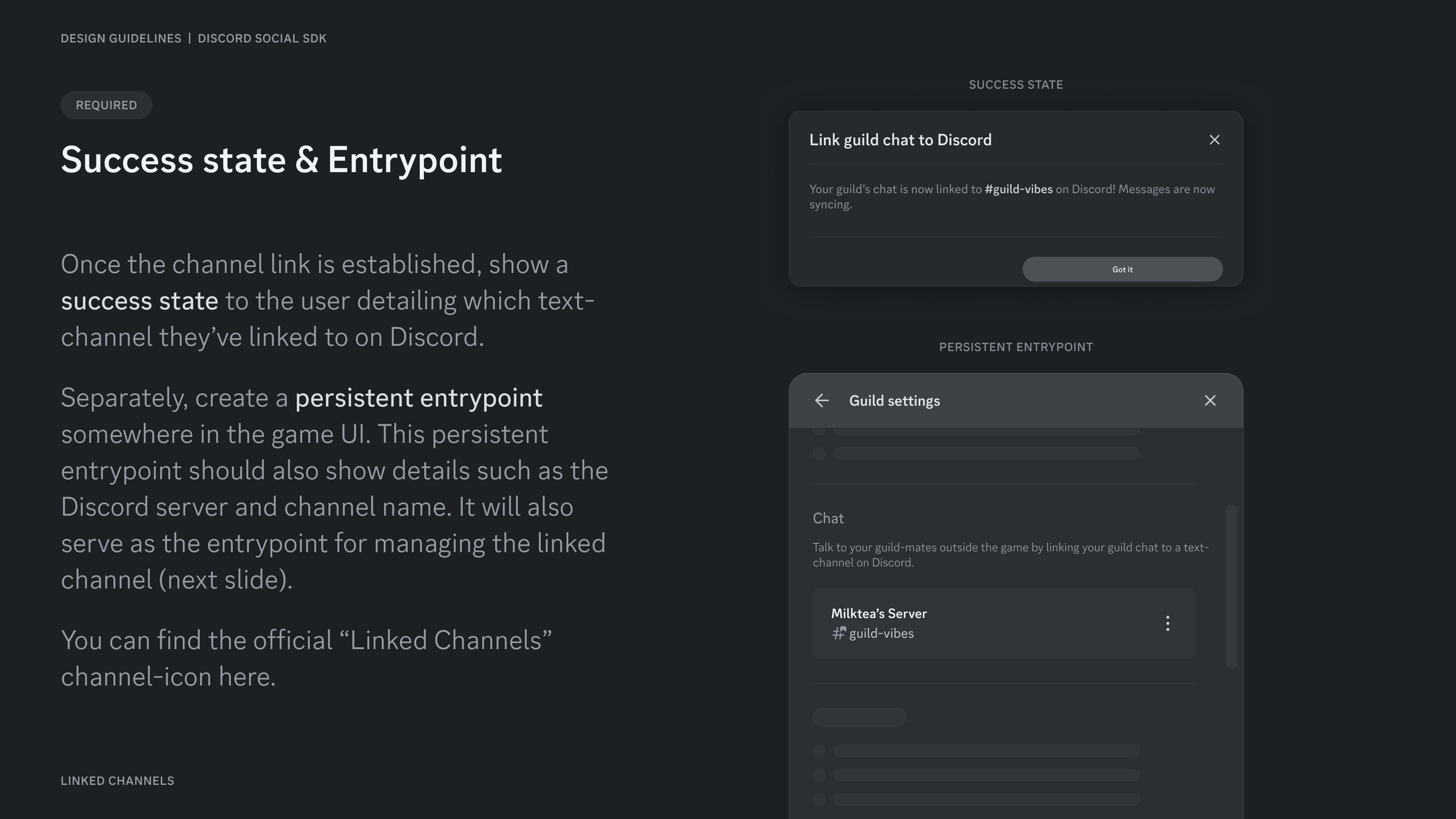
Removing Channel Link
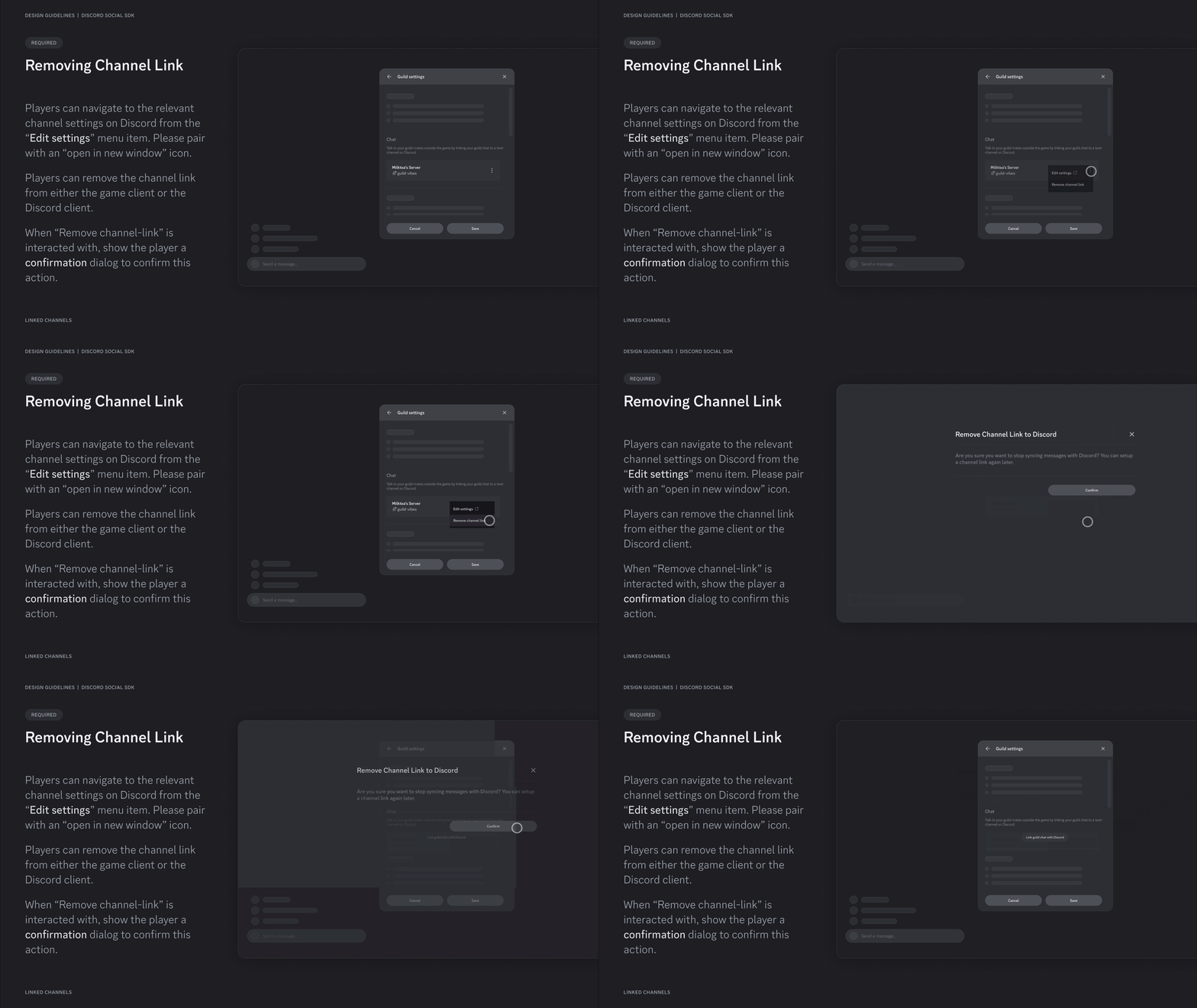
Players can navigate to the relevant channel settings on Discord from the “Edit settings” menu item. Please pair with an “open in new window” icon. Players can remove the channel link from either the game client or the Discord client. When “Remove channel-link” is interacted with, show the player a confirmation dialog to confirm this action.