> ## Documentation Index
> Fetch the complete documentation index at: https://docs.discord.com/llms.txt
> Use this file to discover all available pages before exploring further.
# Premium Apps & Activities
> Add subscriptions and one-time purchases to your Discord app with Premium Apps.
 App Monetization applies to [Bots](/developers/bots/overview) and [Activities](/developers/activities/overview). If you're building a game integration, check out [Social Commerce & Game Shops](/developers/social-commerce/overview) for more information on how to monetize your game with Discord.
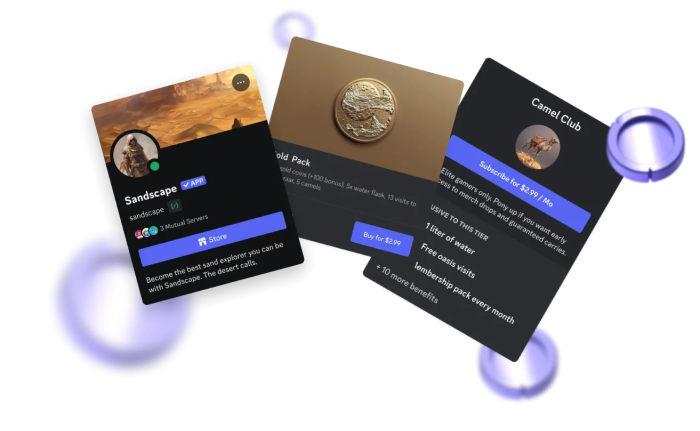
Our Premium Apps features let you charge for your app's features directly within Discord, using Discord's built-in payment and checkout flow. Users never leave the platform to subscribe or make a purchase, which reduces friction and keeps the experience native. Discord handles billing, fraud detection, and receipts, while you handle granting access to your premium features.
You can offer two types of monetization:
* **Recurring monthly subscriptions** with the option to offer to individuals or whole servers
* **One-Time purchases** with the option to offer durable upgrades or consumable items
Both types integrate through the same [SKU](/developers/resources/sku) and [Entitlement](/developers/resources/entitlement) APIs, so your app checks whether a user is entitled to a feature before granting access.
Monetized apps also get additional surface area on the App Directory, including a store page where users can browse and purchase your offerings without having to install your app first.
Full guide to SKUs, Entitlements, Subscriptions, and the App Directory store page.
Step-by-step setup for enabling payments and creating your first SKU.
App Monetization applies to [Bots](/developers/bots/overview) and [Activities](/developers/activities/overview). If you're building a game integration, check out [Social Commerce & Game Shops](/developers/social-commerce/overview) for more information on how to monetize your game with Discord.
Our Premium Apps features let you charge for your app's features directly within Discord, using Discord's built-in payment and checkout flow. Users never leave the platform to subscribe or make a purchase, which reduces friction and keeps the experience native. Discord handles billing, fraud detection, and receipts, while you handle granting access to your premium features.
You can offer two types of monetization:
* **Recurring monthly subscriptions** with the option to offer to individuals or whole servers
* **One-Time purchases** with the option to offer durable upgrades or consumable items
Both types integrate through the same [SKU](/developers/resources/sku) and [Entitlement](/developers/resources/entitlement) APIs, so your app checks whether a user is entitled to a feature before granting access.
Monetized apps also get additional surface area on the App Directory, including a store page where users can browse and purchase your offerings without having to install your app first.
Full guide to SKUs, Entitlements, Subscriptions, and the App Directory store page.
Step-by-step setup for enabling payments and creating your first SKU.