> ## Documentation Index
> Fetch the complete documentation index at: https://docs.discord.com/llms.txt
> Use this file to discover all available pages before exploring further.
# Discovery on Discord
> Learn how to make your Discord app discoverable through the App Directory.
export const BookCheckIcon = props => ;
export const GlobeEarthIcon = props => ;
This page covers the discovery surfaces available to your app and how they work in detail. For an introduction to app discovery on Discord, see the [App Discovery](/developers/platform/discovery) platform page.
App discovery applies to [Bots](/developers/bots/overview) and [Activities](/developers/activities/overview).
## App Directory
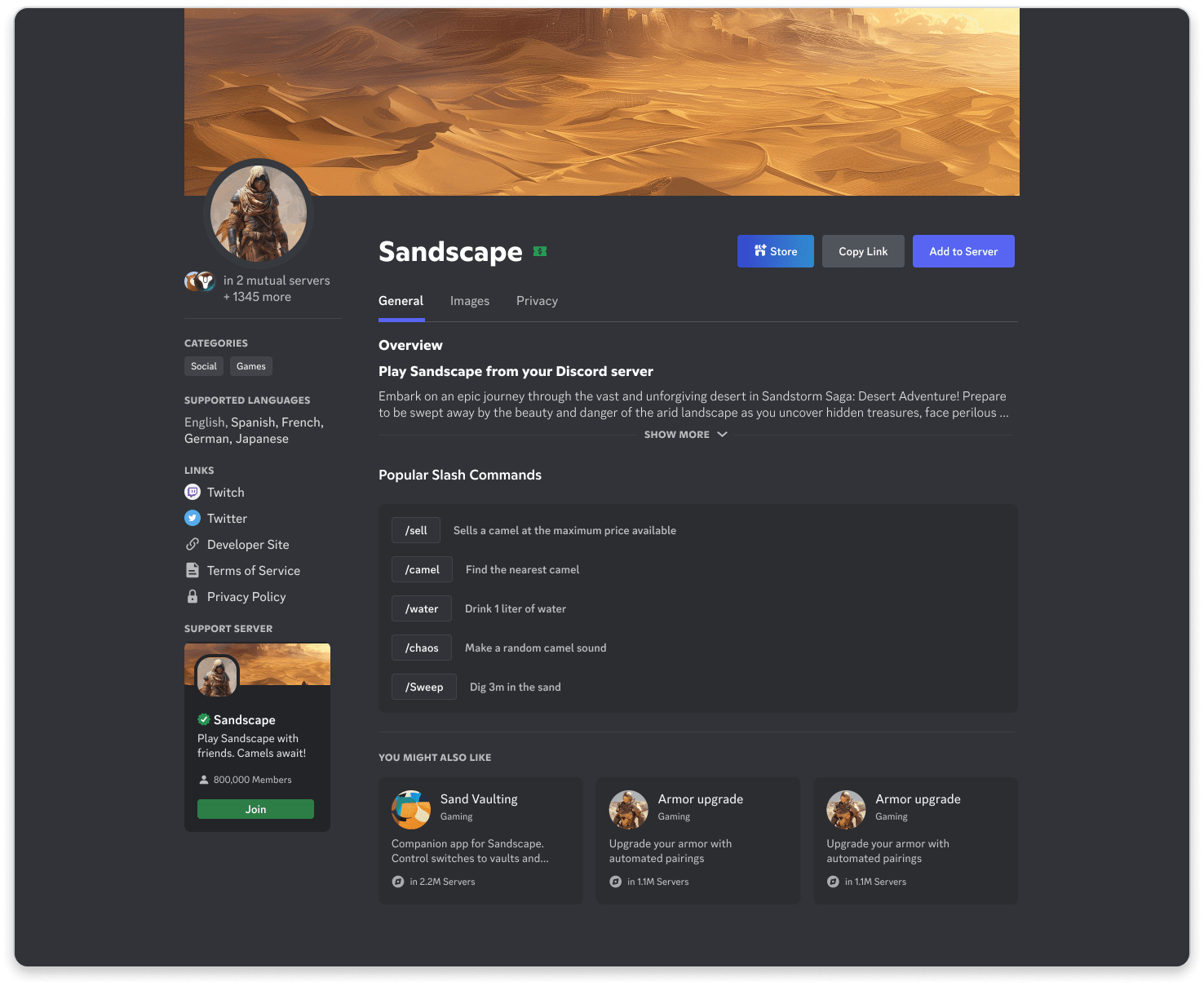
Once you've [enabled discovery for your app](/developers/discovery/enabling-discovery), users can find it in the App Directory — a searchable hub where they can browse by name, category, or collection.
* **Search**: Users can search for your app by name and install it.
* **App Directory Product Page**: Share information about your app, including descriptions, images, videos, and links.
## App Launcher
The App Launcher lets users discover apps through collections and search from the app shapes icon throughout Discord.
### App Launcher Collections
* **Recent Apps**: Apps you've recently used or installed will appear at the top of the App Launcher
* **Installed Apps**: Apps already added to your account or server (if applicable)
* **Curated Collections**: A mix of user favorites, staff picks, and recommended apps
* **Partner Apps**: Some apps may be developed in collaboration with Discord, marked with a "Partner" tag
* **Promoted Apps**: Apps given more visibility in the App Launcher or App Directory, identified by a "Promoted" tag
Search results are ranked based on relevance to the query and popularity based on usage. Apps that use ads or offer in-app purchases are marked with "Ad-supported" and "In-App Purchases" tags on their details page.
### Editorial Recommendations
Apps can be featured in the App Directory or App Launcher as part of a curated collection or promotion. Discord's editorial team will reach out to you if we are interested in featuring your app.
***
## Social Discovery
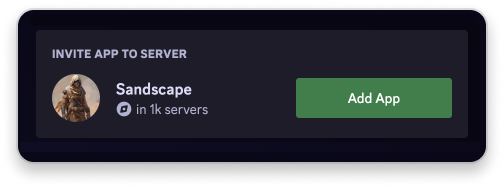
Once your app is discoverable, users may find it through social interactions in Discord. When your app is used in a server, it may be visible to other users, allowing them to learn more about it and install it themselves from your app's profile.
### Sharing Links
Create shareable links to your app's profile page, store page, or specific items. Share these links in Discord, emails, or on your website.
### Rich Presence
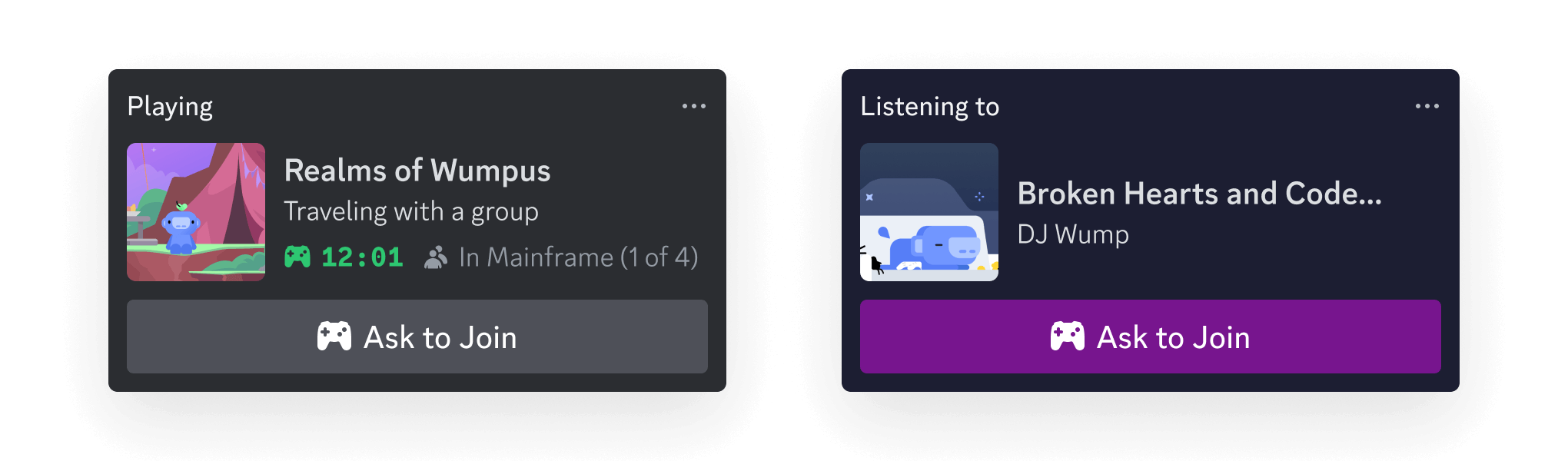
Use [Rich Presence](/developers/rich-presence/overview) to show what users are doing in your app, driving more users to discover it.
***
## Next Steps
Ready to enable discovery for your app?
}>
Enable discovery for your app to make it available in the App Directory and App Launcher.
}>
Learn how to make your app stand out and drive more users to discover it.
 ## App Launcher
The App Launcher lets users discover apps through collections and search from the app shapes icon
## App Launcher
The App Launcher lets users discover apps through collections and search from the app shapes icon 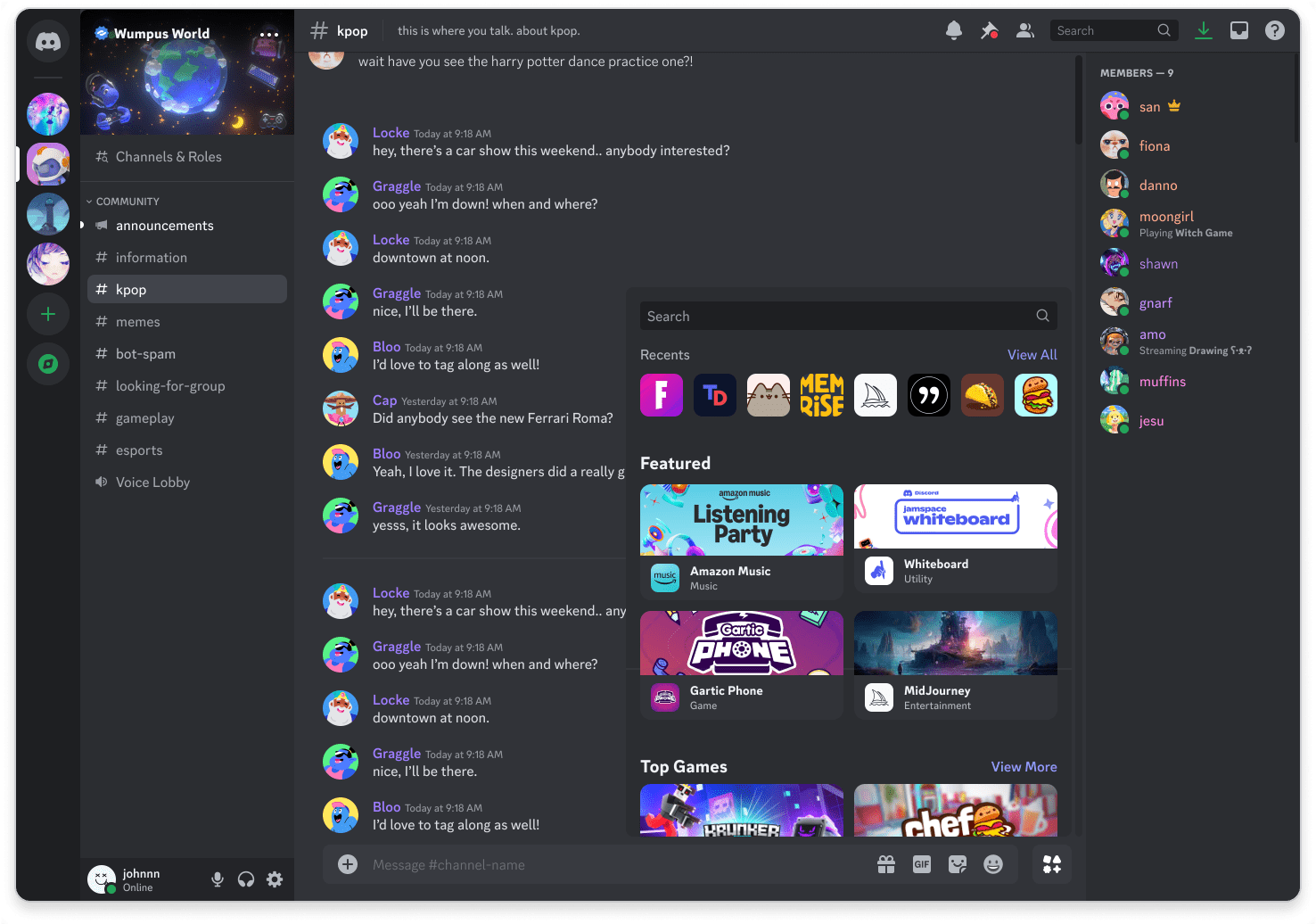 ### App Launcher Collections
* **Recent Apps**: Apps you've recently used or installed will appear at the top of the App Launcher
* **Installed Apps**: Apps already added to your account or server (if applicable)
* **Curated Collections**: A mix of user favorites, staff picks, and recommended apps
* **Partner Apps**: Some apps may be developed in collaboration with Discord, marked with a "Partner" tag
* **Promoted Apps**: Apps given more visibility in the App Launcher or App Directory, identified by a "Promoted" tag
Search results are ranked based on relevance to the query and popularity based on usage. Apps that use ads or offer in-app purchases are marked with "Ad-supported" and "In-App Purchases" tags on their details page.
### Editorial Recommendations
Apps can be featured in the App Directory or App Launcher as part of a curated collection or promotion. Discord's editorial team will reach out to you if we are interested in featuring your app.
***
## Social Discovery
Once your app is discoverable, users may find it through social interactions in Discord. When your app is used in a server, it may be visible to other users, allowing them to learn more about it and install it themselves from your app's profile.
### Sharing Links
Create shareable links to your app's profile page, store page, or specific items. Share these links in Discord, emails, or on your website.
### App Launcher Collections
* **Recent Apps**: Apps you've recently used or installed will appear at the top of the App Launcher
* **Installed Apps**: Apps already added to your account or server (if applicable)
* **Curated Collections**: A mix of user favorites, staff picks, and recommended apps
* **Partner Apps**: Some apps may be developed in collaboration with Discord, marked with a "Partner" tag
* **Promoted Apps**: Apps given more visibility in the App Launcher or App Directory, identified by a "Promoted" tag
Search results are ranked based on relevance to the query and popularity based on usage. Apps that use ads or offer in-app purchases are marked with "Ad-supported" and "In-App Purchases" tags on their details page.
### Editorial Recommendations
Apps can be featured in the App Directory or App Launcher as part of a curated collection or promotion. Discord's editorial team will reach out to you if we are interested in featuring your app.
***
## Social Discovery
Once your app is discoverable, users may find it through social interactions in Discord. When your app is used in a server, it may be visible to other users, allowing them to learn more about it and install it themselves from your app's profile.
### Sharing Links
Create shareable links to your app's profile page, store page, or specific items. Share these links in Discord, emails, or on your website.
 ### Rich Presence
Use [Rich Presence](/developers/rich-presence/overview) to show what users are doing in your app, driving more users to discover it.
### Rich Presence
Use [Rich Presence](/developers/rich-presence/overview) to show what users are doing in your app, driving more users to discover it.
 ***
## Next Steps
Ready to enable discovery for your app?
***
## Next Steps
Ready to enable discovery for your app?