> ## Documentation Index
> Fetch the complete documentation index at: https://docs.discord.com/llms.txt
> Use this file to discover all available pages before exploring further.
# Connection Points
> Design guidelines for creating effective connection points between your application and Discord.
This guide provides best practices and design guidelines for integrating key connection points within your game. Connection points are crucial touchpoints where players can login to Discord, enhancing their overall gaming experience.
## Signing in
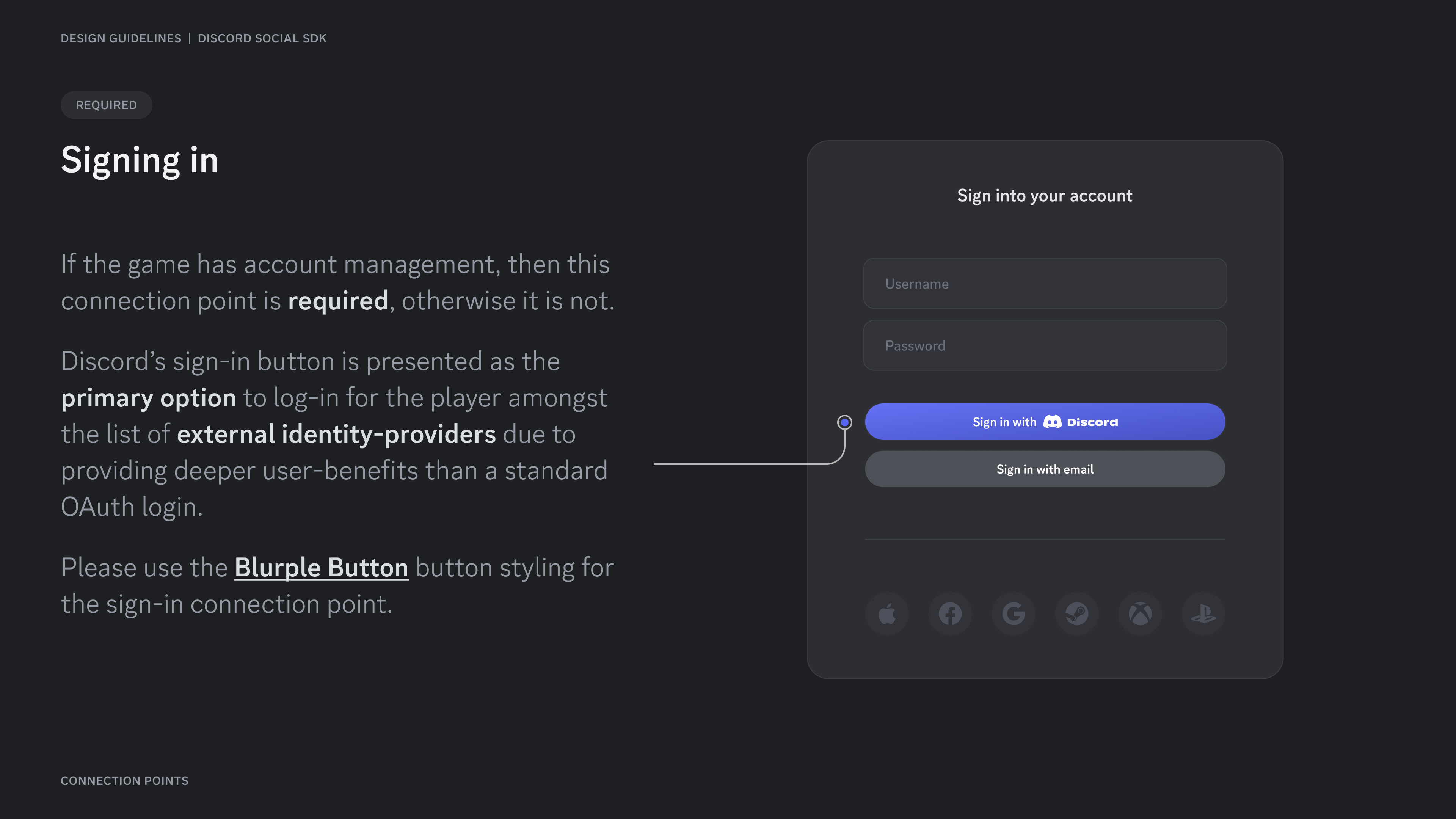
If the game has account management, then this connection point is **required**, otherwise it is not.
Discord's sign-in button is presented as the **primary option** to log-in for the player amongst the list of **external identity-providers** due to providing deeper user-benefits than a standard OAuth login.
Please use the [**Blurple Button**](/developers/discord-social-sdk/design-guidelines/branding-guidelines#buttons) button styling for the sign-in connection point.
 ## Friends list
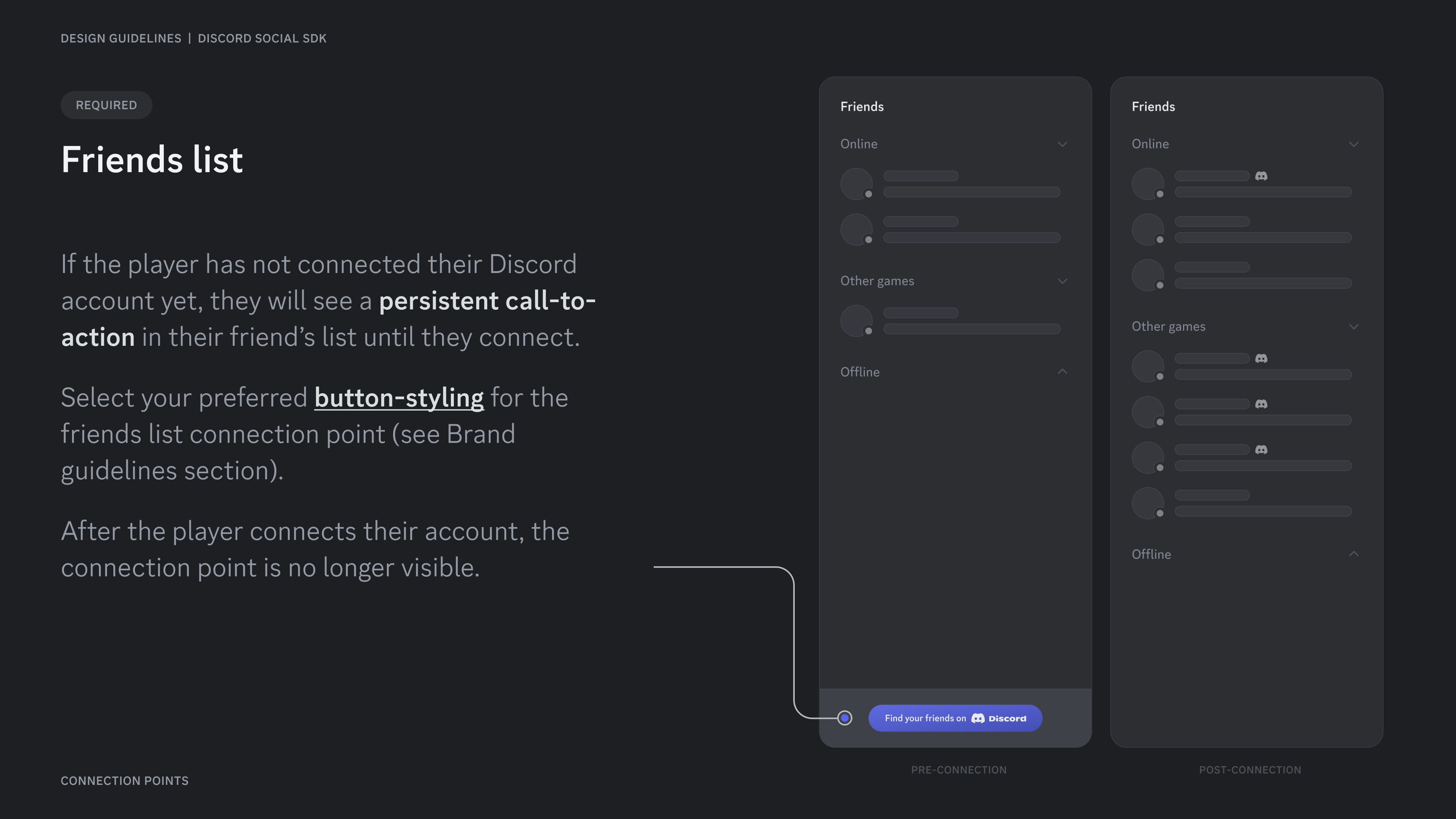
If the player has not connected their Discord account yet, they will see a **persistent call-to-action** in their friend's list until they connect.
Select your preferred *button-styling* for the friends list connection point (see Brand guidelines section).
After the player connects their account, the connection point is no longer visible.
## Friends list
If the player has not connected their Discord account yet, they will see a **persistent call-to-action** in their friend's list until they connect.
Select your preferred *button-styling* for the friends list connection point (see Brand guidelines section).
After the player connects their account, the connection point is no longer visible.
 ## Content Guidelines
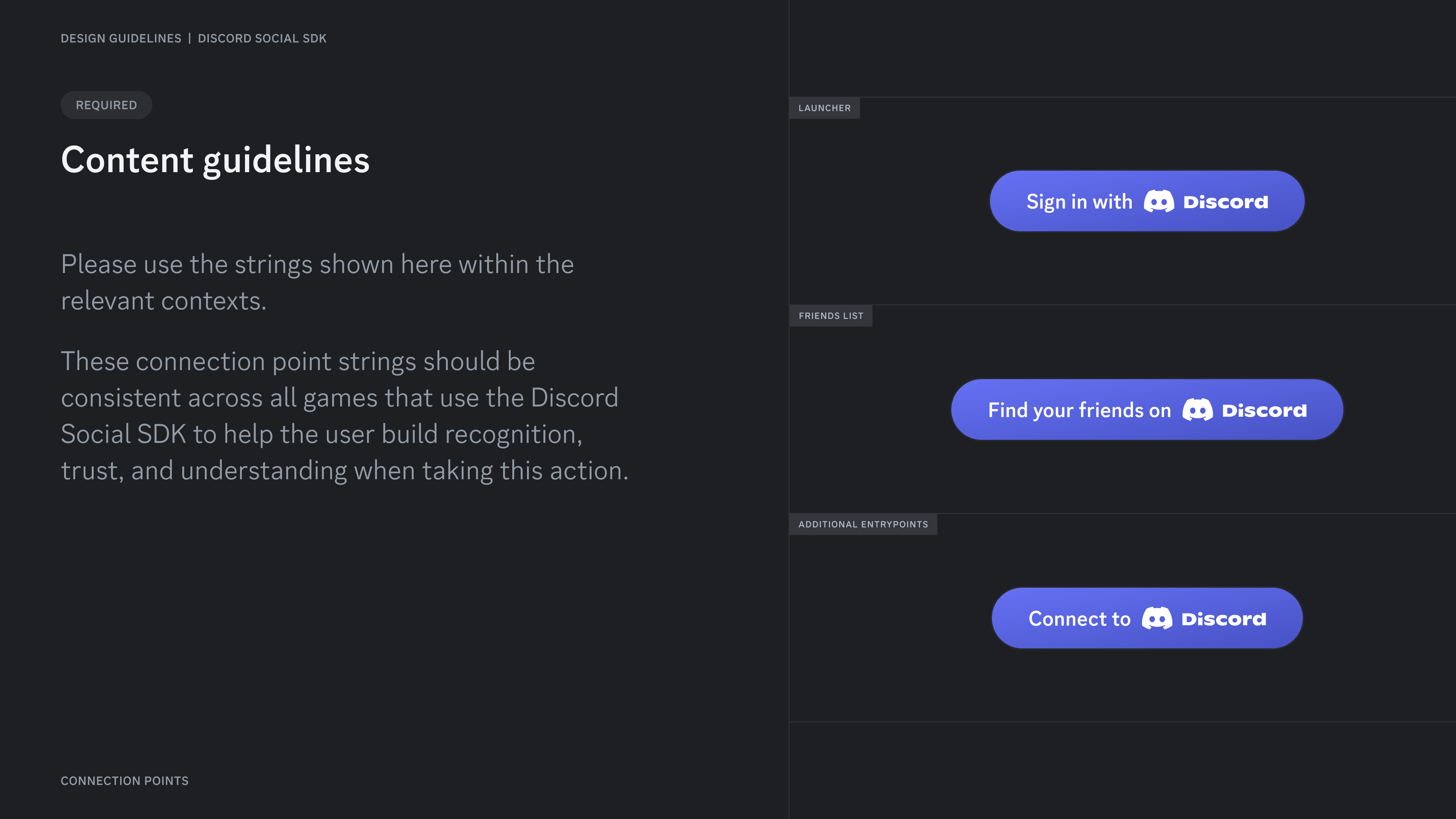
Please use the strings shown here within the relevant contexts.
These connection point strings should be consistent across all games that use the Discord Social SDK to help the user build recognition, trust, and understanding when taking this action.
## Content Guidelines
Please use the strings shown here within the relevant contexts.
These connection point strings should be consistent across all games that use the Discord Social SDK to help the user build recognition, trust, and understanding when taking this action.
 ***
## Change Log
| Date | Changes |
| -------------- | --------------- |
| March 17, 2025 | initial release |
***
## Change Log
| Date | Changes |
| -------------- | --------------- |
| March 17, 2025 | initial release |